


Rocket Lawyer Legal & Law Help
4.81.03K Reviews
App Specs
- Version
- 5.3.0
- Updated On
- License
- Free
- Downloads
- 100,000+
- Developer
- Rocket Lawyer
- Categories
- Productivity
- Platform
- Android
Screenshots

 Analysis by AppCompare
Legal paperwork rarely arrives at a convenient moment. It might be a lease to review before moving, a contract to sort out for freelance work, or a question that feels too important to guess at but too small to justify a long search for a lawyer. That is the gap Rocket Lawyer Legal & Law Help aims to fill: it brings document tools and legal guidance together in a mobile app. I see its strongest use as a way to get organized and understand a next step, rather than as a replacement for a lawyer in every situation.
A practical first pass at a legal task
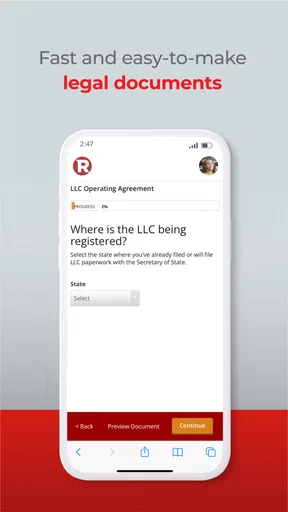
My most useful way to approach an app like this is to begin with one specific need, not to browse legal topics at random. If I were preparing a basic agreement, I would first identify the people involved, the purpose of the document, and any terms that matter to both sides. Then I could use a guided document process to turn those details into a more structured draft. That preparation matters: a questionnaire can organize your answers, but it cannot decide what a fair or legally sound term should be for you.
For a small business owner, that might mean getting a first draft in shape before discussing it with a client. For someone moving, it might mean preparing questions about a lease rather than signing while unsure. I would treat the result as a starting point to check carefully, especially where local rules, substantial money, or a long-term commitment are involved. Convenience is most valuable when it helps you ask better questions, not when it encourages you to skip them.
Build a repeatable routine around documents
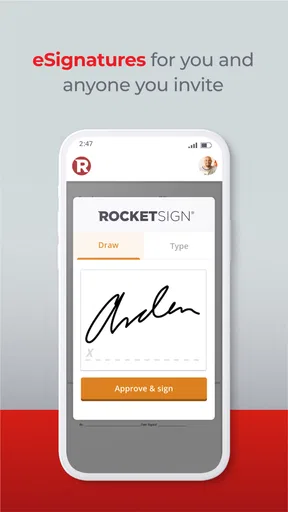
A useful habit is to keep the facts you need close at hand before opening a legal form: the correct names, dates, addresses, and the main terms you have already agreed on. I would also read the finished document from beginning to end rather than assuming that a completed questionnaire means every clause fits. If another person must sign, sharing the draft for a careful review before treating it as final can prevent avoidable misunderstandings.
When several people or projects are involved, a simple naming routine can make stored documents easier to distinguish later. Use a clear description of the document and the matter it belongs to, and keep a separate copy of any version that has been signed or changed. The app’s cloud storage can make files easier to reach, but it is still wise to know which document is current and to keep your own records in an orderly way.
When a lawyer conversation is the better next step
The option to ask a lawyer is useful when you have a focused question and want a professional perspective without beginning with an in-person appointment. I would write the question down first, include the relevant context, and separate facts from assumptions. For example, instead of asking whether a contract is “okay,” point to the clause you do not understand and explain what outcome you are trying to protect. A clearer question gives the conversation a better chance of being useful.
There is an important distinction between getting oriented and resolving a complicated dispute. If a matter involves a court deadline, a large financial exposure, several parties, or facts that are still contested, I would seek direct legal help suited to that situation rather than relying only on a general mobile workflow. The app can help make the issue easier to explain, but it should not make a serious matter seem simpler than it is.
Worth Reading Before You Choose

EA SPORTS FC Mobile 26 Is a Bigger Football Game, but It Takes Time

Flipboard Shows What News Apps Must Do Beyond the Feed

Switching to Android Auto Means Rethinking Your Driving Routine

Google Calendar Makes a Crowded Week Easier to Manage

Ludo King Makes the Most of the Minutes Between Plans

Baby Panda World Brings Quick Play to Modern Phones, but Its Game Library Feels Busy
Getting Started with Rocket Lawyer
From the get-go, Rocket Lawyer Legal & Law Help is incredibly user-friendly. The app is available on both Android and iOS, so you can download it from your respective app store. Once installed, you’re greeted with a sleek and intuitive interface that makes navigation a breeze. No need to be a tech wizard here; everything is laid out in a way that even your grandma could get it up and running.
The app offers a free trial for new users, which is a fantastic way to dip your toes into the legal waters without committing financially. You’ll find a variety of legal services at your fingertips, from creating documents to consulting with an attorney.
Features That Stand Out
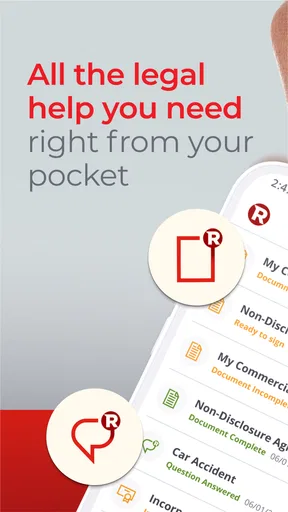
One of the standout features of Rocket Lawyer is its extensive library of customizable legal documents. Whether you need a will, a lease agreement, or a nondisclosure agreement, this app has you covered. You can simply fill out a questionnaire, and the app generates a document tailored to your specific needs. It’s like having your own personal lawyer in your pocket.
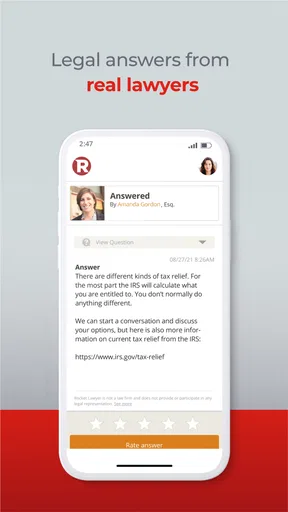
Another feature I found incredibly useful is the "Ask a Lawyer" service. For those burning legal questions that keep you up at night, you can consult a real attorney directly through the app. Responses are typically quick, and it’s reassuring to know that you’re getting expert advice without having to book a pricey in-person consultation.
User Experience and Interface
The user interface is clean and straightforward, making it easy to find what you’re looking for. The menu is logically organized, and the app runs smoothly without any annoying glitches or crashes. The color scheme is professional yet inviting, which is a nice touch when dealing with something as intimidating as legal issues.
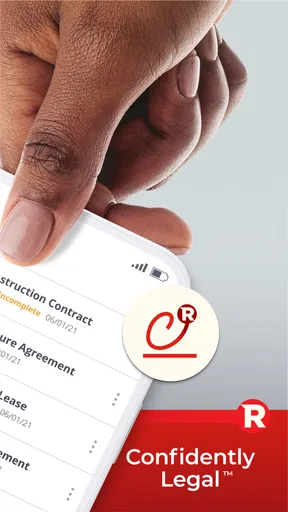
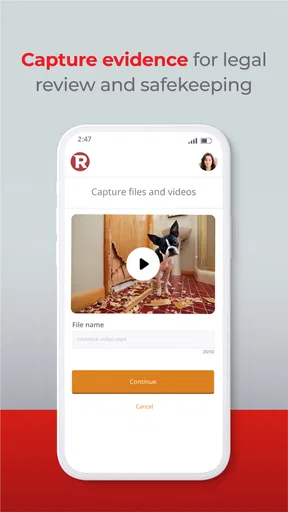
Rocket Lawyer also offers a cloud storage feature, which means your documents are safe and accessible whenever you need them. No more rummaging through piles of paperwork or worrying about where you’ve saved that important file.
Subscription and Pricing
Before committing to regular use, I would check the plan details and any in-app purchase terms carefully. The app is free to install, but its in-app purchases range from $9.99 to $239.99 per item, so the cost of using a particular service can be quite different from the download price. I would confirm what is included in the option I’m considering, whether it covers the document or advice I need, and what happens after any trial period before entering payment details.
For an occasional need, comparing the cost of a single document or consultation with a membership may help clarify which route makes sense. For ongoing work, such as handling agreements for multiple clients, recurring access might be easier to manage, but only if the included services match the work you actually do. I would not subscribe just because the app has a broad menu; first identify the task and make sure the plan addresses it.
Where the app fits—and where it doesn’t
Rocket Lawyer is a productivity app from Rocket Lawyer, designed for people who want legal tasks to feel more manageable on a phone. It has a 4.7 average from around 10,000 ratings, and more than 100,000 installs. Those figures suggest that many users have found a reason to try it, but they cannot tell me whether a particular document or legal answer will fit an individual case. I would judge it by the specific task in front of me.
Compared with searching the web for a free template, the app’s guided questions and option to consult a lawyer can provide a more organized route from a concern to a draft or a focused question. Compared with hiring a lawyer from the outset, it may be a more convenient first step for routine needs, but it does not offer the same level of tailored representation for a complicated matter. A local lawyer is the better choice when the consequences are high or you need someone to assess the full facts and advise you through a dispute.
It is a good fit for freelancers, small business owners, tenants, and people putting basic personal paperwork in order, especially if they prefer to handle preparation on a phone. It is less suitable for someone who needs guaranteed, case-specific legal representation or who wants a document to be valid simply because an app generated it. Legal rules and circumstances differ, so I would check important details rather than treating a polished form as proof that it is right.
Small checks that make the workflow safer
Before starting a form, I would gather the information that is easy to mistype and check names against the relevant records. After generating a draft, I would look for blanks, inconsistent dates, unclear responsibilities, and terms that do not reflect what the parties discussed. These checks are especially useful when a document will be reused: a previous draft can save time, but old details should never be allowed to carry over unnoticed.
For a realistic everyday example, imagine a freelancer who is about to begin a new client project and wants written terms in place. They can use a quiet moment to outline the work, payment expectations, and the questions that still need agreement, then use a document workflow to organize a draft. If a clause remains unclear, they can frame that uncertainty for a lawyer rather than sending a vague request. The time-saving step is not merely producing a file; it is arriving at the conversation with the facts and decisions already sorted.
Rocket Lawyer is rated for Everyone and is listed as free to download, though paid purchases are available inside the app. It was released on November 9, 2017, and its current version is 5.1.0, with Android 8.0 as the minimum operating-system requirement. Those practical details matter if you are checking device compatibility or deciding whether to install it, but the more important question is whether its document and advice options match the kind of legal task you have.
The Verdict
In a world where legal services can be prohibitively expensive and confusing, Rocket Lawyer Legal & Law Help is a breath of fresh air. It combines convenience, affordability, and expertise in one neat package. The app's ability to simplify complex legal processes is truly impressive, making it accessible to anyone who might be intimidated by traditional legal avenues.
Whether you’re a small business owner, a freelancer, or just someone looking to get your legal affairs in order, Rocket Lawyer is definitely worth checking out. It empowers you to handle your legal needs confidently and efficiently without having to break the bank. I’d say give it a try—you might just find that dealing with legal matters isn’t as daunting as it seems.
Pros
- User-friendly interface for legal documents.
- Wide range of document templates available.
- Affordable subscription pricing model.
- Access to live attorney consultations.
- Mobile app supports on-the-go legal help.
Cons
- Limited free features without subscription.
- Some templates lack customization options.
- Live attorney help not available 24/7.
- App requires internet for most features.
- Complex cases may need in-person advice.
FAQs for Rocket Lawyer Legal & Law Help
What services does Rocket Lawyer provide?
Rocket Lawyer offers a range of legal services, including document creation, contract reviews, and access to legal advice from qualified attorneys. Users can create wills, business contracts, and other legal documents through a guided process. Additionally, Rocket Lawyer provides consultations with attorneys for more personalized legal help.
Is Rocket Lawyer suitable for small businesses?
Yes, Rocket Lawyer is particularly beneficial for small business owners. It provides tools to create essential documents like LLC operating agreements and non-disclosure agreements. The platform also offers legal advice to help navigate business-related legal issues, making it a cost-effective solution for small enterprises seeking legal assistance.
Can I access Rocket Lawyer services on both Android and iOS devices?
Absolutely, Rocket Lawyer is available on both Android and iOS platforms. The app ensures you have access to legal documents and attorney consultations on-the-go. Whether you're using a smartphone or tablet, the app is designed to provide a seamless experience across all devices.
How does the Rocket Lawyer free trial work?
Rocket Lawyer offers a 7-day free trial that allows you to explore its services without any commitment. During the trial, you can create documents, ask legal questions, and consult with attorneys. If you choose not to continue, make sure to cancel before the trial ends to avoid subscription charges.
What level of customer support does Rocket Lawyer offer?
Rocket Lawyer provides comprehensive customer support, including live chat, email, and phone support. Their customer service team is knowledgeable and ready to assist with any questions or issues related to using the app. This ensures users have a smooth experience while accessing legal services.


